


Template:FreedImg

 | This template uses TemplateStyles: |
 | This template uses Lua: |
- Use this image container template to display CENTERED images.
- Resizes the container dynamically and provides additional image related features.
- When used to display an offset image, the surrounding text is broken into a new paragraph.
Usage
[edit source]- Always please use the shortcut to FreedImg, {{FI}}, rather than the long template name.
{{FI
 | type         =
 | file         =
 | width        =
 | imgwidth     =
 | cclass       =
 | cstyle       =
 | float        =
 | margin-left  =
 | margin-right =
 | clear        =
 | caption      =
 | tmleft       =
 | indent       =
 | tstyle       =
 | talign       =
 | alt          =
 | link         =
 | page         =
}}
For true inline usage, please see FreedImg/span, {{FIS}}, instead.
Parameters
[edit source]- For the Image itself
- mandatory file: File name (without the "File:" prefix).
- optional alt: Image alt-text, ie. for mouse-over text box or for use with a screenreader for the visually impaired.
- optional link: Override the default image link with an internal/external URL of your choosing (optional)
- optional page: Select individual image page within a multi-page file (PDF/DJVU etc.; optional)
- when the (type=user ) is present & set
- Images generated by certain wikicode extensions (e.g. the default <math> User preference, <score>, etc.) may be entered in the named file parameter instead.
- Primary DIV container
- width: The width of the primary container, by percentage (present, variable, default 100%)
- cclass: The class for the primary container, (present, variable, default floatnone [a null undefined classname just for placeholder purposes])
- cstyle: Any special overall styles to apply to primary container (default: no extra CSS).
- float: The alignment of the primary container (not present; must be added, options are "left" or "right"; otherwise remains centered).
- clear: The margin(s) of the primary container to be cleared (not present; must be added, options are "left", "right" or "both").
- margin-left,margin-right : Any special margins to be applied to the primary container (defaults appropriate for centered result).
- Image element
- imgclass: extra CSS classes to add (often rotations)
- imgstyle: extra CSS styling to add to the image (e.g. borders)
- imgwidth: request this size of image from the server, rather than computing a guess. This can help to reduce file size, for example, when you know the image will be used in a narrow container.
- Image Caption
- caption: The image caption (not present; must be added)
- tstyle,talign: Any special text style or alignment to apply to caption block (if present).
- tmleft,indent: Any special text-flow (e.g. hanging indent etc.) control to apply to caption (if present).
Examples
[edit source]Basic example: centred image
[edit source]{{FI
| file = Iceberg.jpg
| width = 20%
| link = w:Iceberg{{!}}Iceberg article at Wikipedia
| alt = WS Iceberg
}}

Musical score
[edit source]{{FI
| type = score
| width = 50%
| file = <score>{ \clef bass \time 3/4 g,4 (b,4 [d4 f4 a4]) r4 \bar "|." }</score>
}}
![{ \clef bass \time 3/4 g,4 (b,4 [d4 f4 a4]) r4 \bar "|." }](http://upload.wikimedia.org/score/8/s/8snq40qbevoc9woxt3ilbnobqjhqkd7/8snq40qb.png)
Mathematical Equation
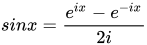
[edit source]N.B. This only works if the user's Preferences are set to the default (i.e. Preference/Appearance/Math is "Always render PNG". Experimental choice "MathJax" causes any formulæ to be rendered entirely in text, completely bypassing any effect {{FreedImg}} may have.)
{{FI
 | type  = math
 | width = 25%
 | file  = <math>sin x = {e^{ix} - e^{-ix} \over 2i} </math>
}}
Page of a multipage document
[edit source]{{FI
| file = Character of Renaissance Architecture.djvu
| width = 20%
| link = Character of Renaissance Architecture
| alt = Plate III: Cvpola Di S Pietro
| page = 91
}}

Adding classes to the image (e.g. rotation)
[edit source]{{FI
| file = Iceberg.jpg
| width = 20%
| link = w:Iceberg{{!}}Iceberg article at Wikipedia
| alt = WS Iceberg
| imgclass = rot270
| caption = Gravity right
}}
|
{{FI
 | file     = Iceberg.jpg
 | width    = 40%
 | link     = w:Iceberg{{!}}Iceberg article at Wikipedia
 | alt      = WS Iceberg
 | imgclass = rot90
 | caption  = Gravity left
}}
| |||
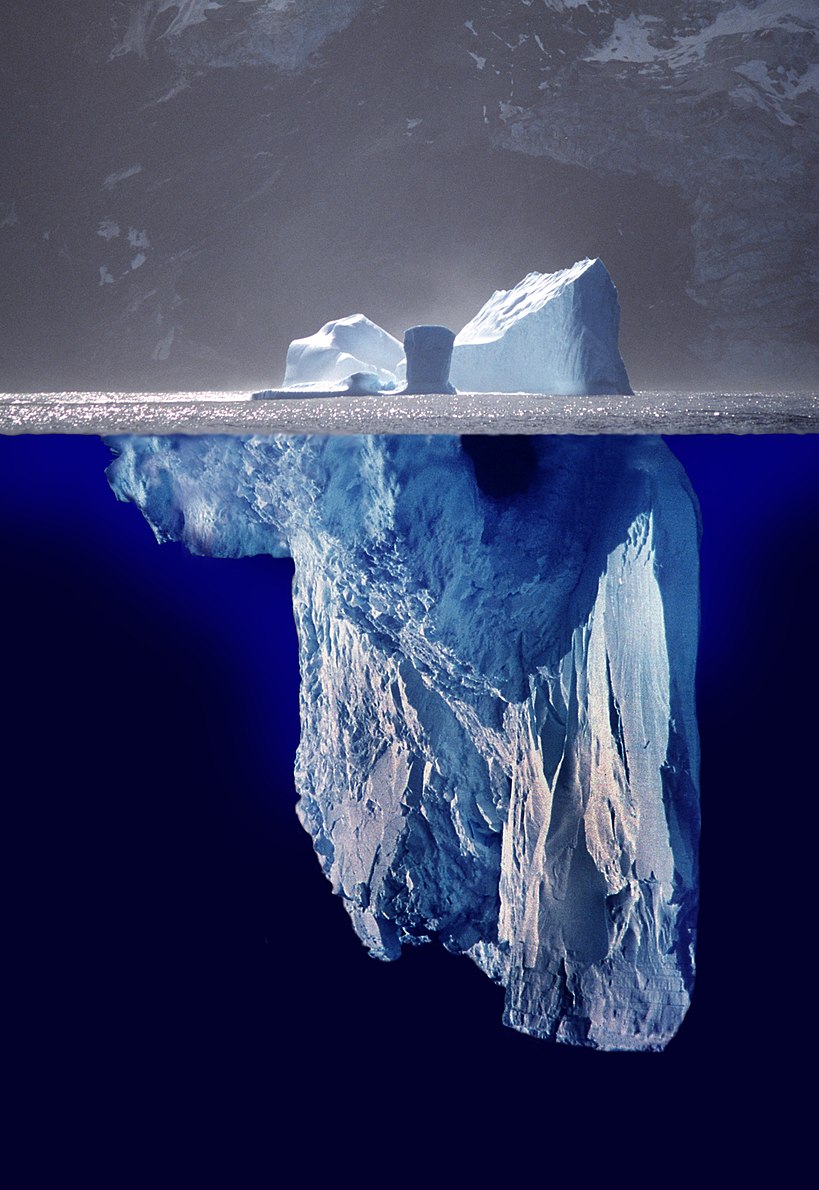 Gravity right |
Gravity left | |||
Gravity up |
||||
{{FI
 | file     = Iceberg.jpg
 | width    = 40%
 | link     = w:Iceberg{{!}}Iceberg article at Wikipedia
 | alt      = WS Iceberg
 | imgclass = rot180
 | caption  = Gravity up
}}
| ||||
Extra CSS styles
[edit source]{{FI
| file = Iceberg.jpg
| width = 10%
| imgstyle = outline: solid 3px blue;
| caption = An iceberg
| tstyle = background-color: yellow; font-family:serif;
| cstyle = border: dashed 1px red; padding: 10px;
}}

An iceberg
Missing images
[edit source]If an image doesn't exist yet, you can use missing in the file parameter:
Example
{{FI
 | file     = missing
 | width    = 200px
 | caption  = The caption can be entered as usual
}}
An image should appear at this position in the text.
The caption can be entered as usual
See also
[edit source]- Template for offset images Template:FreedImg/span aka {{FIS}}